



Activating SAP Fiori Standard Apps
SAP already ships thousands of apps ready to use – often all that's missing is a clean activation. SERKEM sets up SAP standard Fiori apps for you with a fixed, repeatable approach, instead of building something new.








What are SAP Fiori standard apps?
SAP ships thousands of ready-made Fiori apps for S/4HANA – catalogued in the SAP Fiori apps reference library, the official directory of all standard apps by release. They already cover most core processes in finance, procurement, sales, and logistics, without a single line of code.
The effort isn't in development – it's in clean activation: finding the right apps, assigning business catalogs to the right roles, enabling services technically, and testing everything together. That's exactly what SERKEM has a standardized approach for.
Your requirements
What companies need today
- Clarity on which standard apps are even relevant for your own processes
- Clean mapping of business catalogs to PFCG roles instead of authorization sprawl
- Technical activation of the underlying OData services in the backend
- Avoiding custom development when the SAP standard already covers the requirement
- A repeatable approach that works the same way for every rollout or release change
- Apps that are tested before users ever see them in the Launchpad
Our solution
What SERKEM delivers
- Systematic comparison of your processes against the SAP Fiori apps reference library
- Business catalog and role concept following the SAP standard, without custom authorization objects
- Activation of the OData/ICF services per app in the Gateway or embedded frontend
- A clear line drawn against custom development – with a pointer to individual CDS views where needed
- A fixed, documented approach instead of one-off solutions
- Functional testing per app before release in the Fiori Launchpad
Approach
SERKEM's standardized activation path
Four fixed steps, no matter how many apps are being activated.
Catalog analysis
Comparing your processes against the SAP Fiori apps reference library – which standard app fits which use case.
Roles & authorizations
Business catalogs are assigned to business roles, and PFCG roles are built or extended accordingly.
Service activation
OData services and ICF nodes are technically enabled per app – in the embedded frontend or on a separate gateway.
Testing & rollout
Functional testing per app together with the assigned roles, followed by release in the Fiori Launchpad.
Coverage
Typical standard app areas
A sample of the business areas where SAP standard Fiori apps already cover most requirements.
Finance
Document entry, account clearing, payment approvals, and reporting as standard apps in the Fiori Launchpad.
Procurement
Purchase order approvals, supplier evaluation, and procurement cockpits, ready to activate straight from the standard.
Sales
Order overviews, customer analytics, and invoice checks as role-based standard apps.
Logistics
Inventory overviews, supplier notifications, and transport status – complementing the SAP EWM and TM apps.
Positioning
Activate the standard, or build a custom app?
Most requirements can be solved with standard apps – custom development only pays off once a real gap remains.
Activate a standard app
No extra code, no update risk at future release changes, ready to use as soon as roles and services are enabled. The effort lies in clean configuration, not development.
Custom CDS view / Fiori app
For processes no standard catalog covers, a dedicated data foundation pays off. SERKEM develops custom CDS views following SAP standard principles, not quickly assembled workarounds.
Configuration
Assigning business catalogs cleanly
Every standard app belongs to a business catalog. Its assignment to business roles determines which apps which users see in the Launchpad – the foundation of every clean activation.
- Identify business catalogs per business area
- Assignment to PFCG roles following the authorization concept
- Consistent maintenance across every system in the landscape
Click image to enlarge
Click image to enlarge
Reference
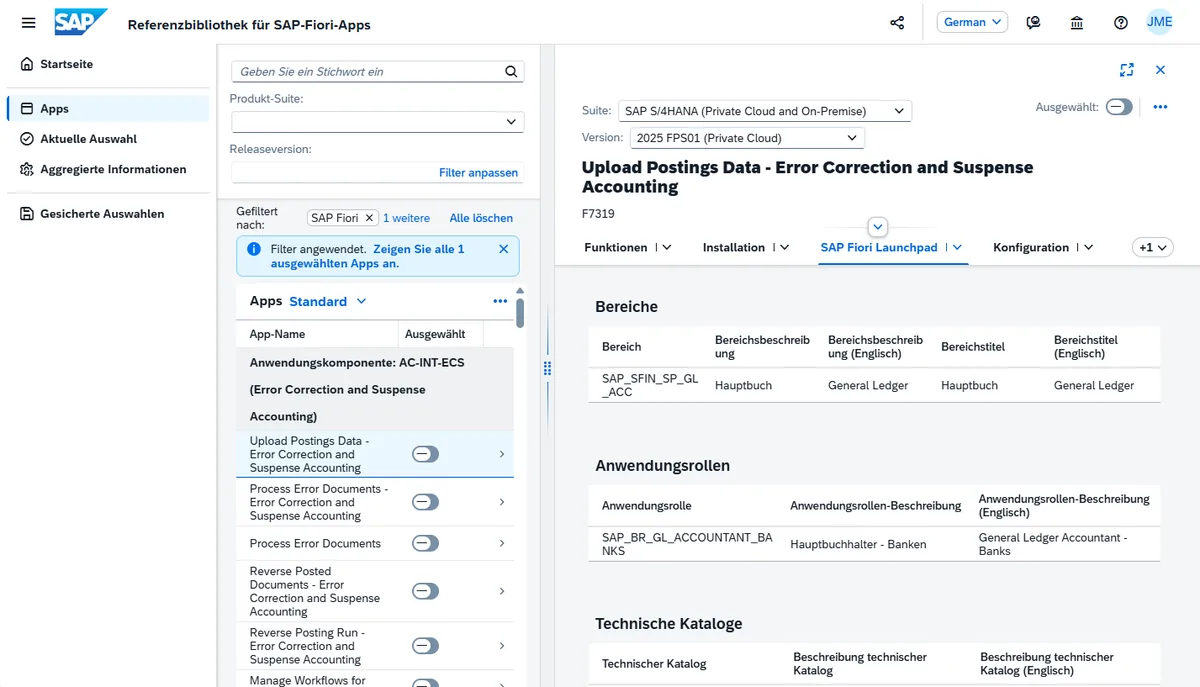
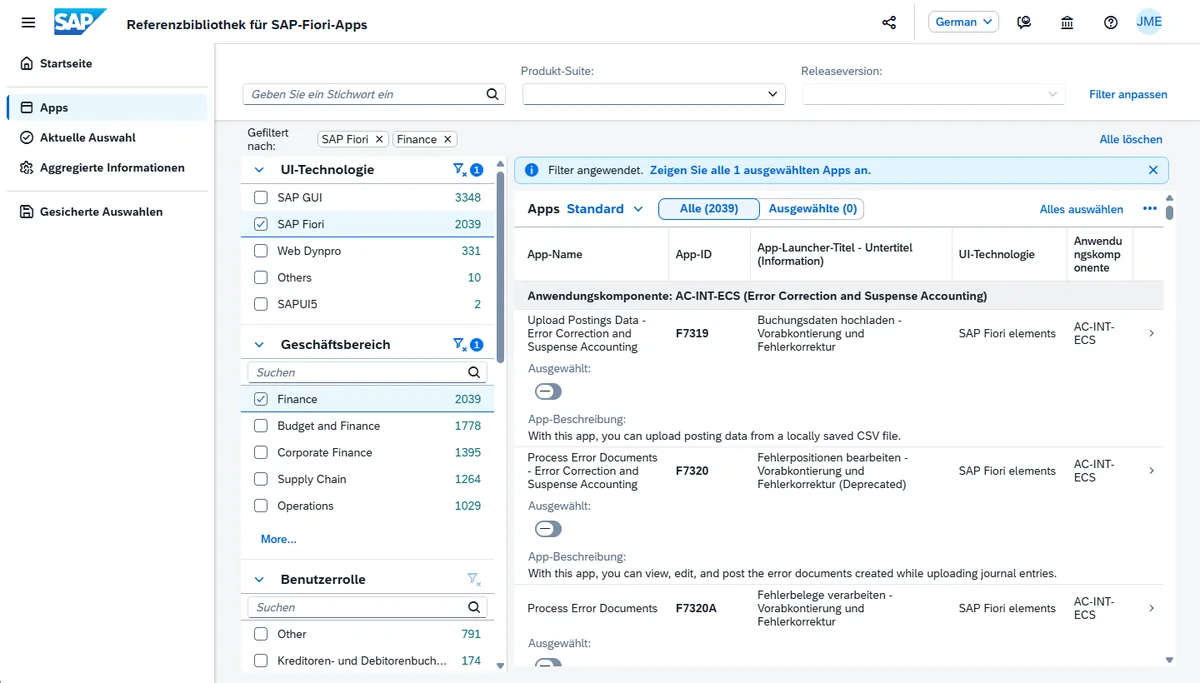
The SAP Fiori apps reference library
SAP's official directory lists every standard app with its app ID, required business catalogs, OData services, and availability per S/4HANA release – the foundation for any activation planning.
- App types: transactional, analytical, fact sheet
- Technical details per app: services, roles, configuration
- Release history for upgrade planning
Frequently asked questions
FAQ: SAP Fiori Standard Apps
Answers to the most common questions about activating SAP standard Fiori apps.
A standard app is developed, tested, and shipped by SAP with every release – it just needs to be activated (business catalog, role, service). A custom app is built on a purpose-built custom CDS view for a specific use case the standard doesn't cover. See our page on custom CDS views for more on custom development.
The starting point is the SAP Fiori apps reference library, SAP's official directory of all standard apps by release. SERKEM compares your business processes against it and identifies which app IDs and business catalogs are relevant for your roles.
A business catalog groups one or more Fiori apps thematically (e.g. "accounts payable"). It's assigned to a business role or PFCG role, which in turn controls which apps a user sees in the Fiori Launchpad. Without clean catalog assignment, users see either too few apps or too many.
Yes – every Fiori app is based on one or more OData services that must be explicitly activated in the backend (transaction /IWFND/MAINT_SERVICE or SICF). SAP ships the services, but they aren't active by default. SERKEM handles this activation as a fixed part of the approach.
The overall approach (catalog, role, service, test) stays the same, but where the services get activated differs by deployment option. See our page on SAP Fiori deployment options for details on embedded deployment, hub deployment, and SAP Build Work Zone.
SAP provides defined extension points for many standard apps (key user extensibility, adaptation projects) that let you adjust fields, filters, or columns without rebuilding the app from scratch. Only once that's not enough does custom development based on your own CDS views make sense.
Ready to put SAP standard apps to work?
SERKEM identifies the right standard apps for your processes and activates them with a fixed, repeatable approach – from catalog analysis to a tested rollout in the Fiori Launchpad.