



SAP Analytics in S/4HANA
SAP Analytics Cloud, Embedded BW, and Custom CDS Views access the same data layer — for reporting, planning, and forecasting on the SAP standard, with no need to export data to third-party systems.






What does SAP Analytics mean in S/4HANA?
In S/4HANA, SAP follows the principle of "one data model, multiple consumers": Custom CDS Views, as a Core Data Services technology, define semantically enriched, reusable data models directly on the ERP system's HANA tables. Both Embedded BW for classic reporting within the system itself and SAP Analytics Cloud (SAC) for cloud-based planning, dashboards, and forecasting build on this shared data layer — the same CDS Views also feed SAP Fiori analytics apps.
In the end, business departments care about one thing: reliable numbers that Finance, Sales, and Logistics can all refer to together — instead of conflicting exports from multiple systems. SERKEM assesses your existing reporting landscape and builds the right combination of CDS data layer, Embedded BW, and SAP Analytics Cloud for your specific use case.
Your Requirements
What Companies Need Today
- One shared set of numbers for Finance, Sales, and Logistics instead of conflicting Excel exports
- Planning and forecasting functions that don't run in Excel shadow systems
- Reporting close to the operational process, without a new data warehouse project for every question
- Reusable, clean data models instead of custom one-off reports per request
- Live access to current data where timeliness matters — and stable performance where complex planning models run
- Data modeling that survives future S/4HANA release changes
Our Solution
What SERKEM Delivers
- Analysis of your existing reporting landscape and derivation of a target architecture
- Building and maintaining Custom CDS Views as a shared, reusable data layer
- Setting up and configuring SAP Analytics Cloud, including live and import connections
- Using Embedded BW for SAP standard scenarios such as BPC optimized for S/4HANA
- Integrating non-SAP data sources into SAP Analytics Cloud for a company-wide view
- Training business teams for productive use of dashboards and planning models
Architecture
One data model, multiple consumers
Custom CDS Views form the shared semantic data layer directly on S/4HANA's HANA tables. Three different consumers draw on this layer — depending on where reporting, planning, or analysis needs to happen.
The Three Building Blocks
SAP Analytics Cloud, Embedded BW, and Custom CDS Views at a Glance
Each building block serves its own purpose. SERKEM supports you with all three — from data modeling to the finished dashboard.
SAP Analytics Cloud
A cloud-based platform that combines business intelligence, enterprise planning, and predictive analytics in a single solution — with access to SAP and non-SAP data sources.
SAP Analytics Cloud in detailEmbedded BW
Automatically part of every S/4HANA system since SAP NetWeaver 6.40 — the same BW technology as a standalone system, but with no separate operation. SAP deliberately scopes its use to specific standard scenarios.
Embedded BW in detailCustom CDS Views
An SAP standard technology for defining semantically enriched, reusable data models directly on the HANA tables — a foundation for Fiori apps, Embedded BW, and SAC live connections alike.
Custom CDS Views in detailDashboards and Stories Instead of Excel Reports
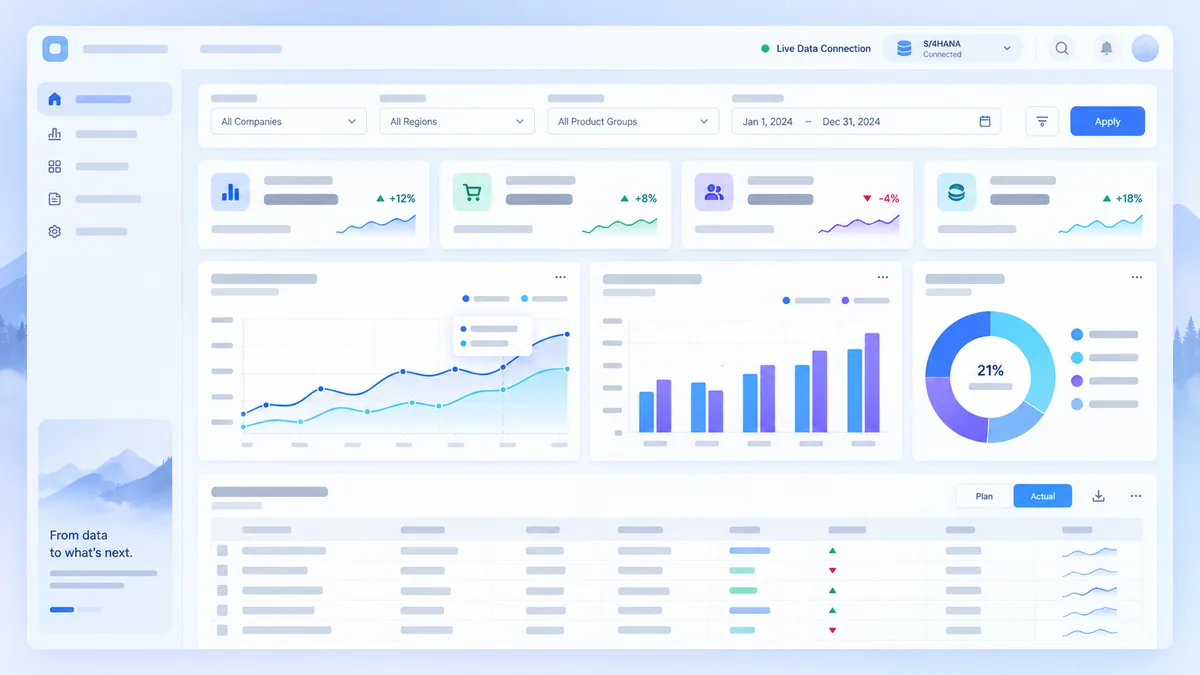
SAP Analytics Cloud produces interactive dashboards ("stories") with charts, tables, and filters — fed either directly from S/4HANA data or from imported data sets across multiple source systems.
- Clear labeling of whether a report is fed via a live or import connection
- Drill-down to document level for live connections to S/4HANA
- Combinable planning and actuals data in the same story
Architecture Decision
Live Connection or Import Connection?
There are two fundamentally different ways to connect SAP Analytics Cloud to S/4HANA data — the choice depends on the use case, not on a general recommendation.
Live Connection
Data stays in the S/4HANA source system and is read in real time via CDS Views on every call — with no replication.
- Always up-to-date data, no time lag
- No additional storage requirement in SAC
- Ideal for operational reports and day-to-day business
- Performance depends on the CDS modeling and network connection
Import Connection
Data is replicated into SAP Analytics Cloud at a defined point in time and stored there.
- High performance even with complex planning models
- Usable independently of the source system's availability
- Easier combination with non-SAP data sources
- Data is only as current as the last import run
Frequently Asked Questions
FAQ on SAP Analytics in S/4HANA
Answers to the most important questions about SAP Analytics Cloud, Embedded BW, and Custom CDS Views.
Not necessarily. Embedded BW covers certain SAP standard scenarios within S/4HANA, for example as the technical basis for SAP Business Planning and Consolidation (BPC) optimized for S/4HANA. For company-wide data warehousing across multiple systems and sources, however, SAP still recommends a standalone SAP BW/4HANA system or SAP Datasphere. Which variant fits your landscape depends on the scope and number of source systems to be integrated.
Embedded BW runs technically within the S/4HANA system and covers classic, ERP-embedded reporting for defined standard scenarios. SAP Analytics Cloud is a separate cloud platform that additionally enables enterprise planning, predictive analytics, and combination with non-SAP data sources — via live or import connections to S/4HANA. Both can be used in parallel, depending on the use case.
Yes. Custom CDS Views are a standalone SAP standard technology and also feed SAP Fiori analytics apps (Analytical List Pages, Overview Pages) directly in day-to-day operations — independently of whether SAC or Embedded BW are in use at all. But they form the foundation both can build on as soon as they're needed.
With a live connection, SAP Analytics Cloud accesses CDS Views in the S/4HANA system directly and in real time — the data stays in the source system, with no replication taking place. This ensures always up-to-date data, but makes performance dependent on the CDS modeling and the network connection to the source system. Alternative: the import connection, where data is replicated to SAC at a fixed point in time.
That depends on the feature scope of your existing tool and the degree of SAP integration you're aiming for. SAP Analytics Cloud stands out especially where reporting, planning, and predictive analytics need to run on SAP data in a single, shared model. SERKEM assesses together with you whether a replacement, an addition, or parallel operation makes the most sense.
Yes. SAP Analytics Cloud is explicitly positioned as a cross-platform solution and can integrate non-SAP data sources alongside SAP systems, typically via import connections. This enables a company-wide view where SAP and non-SAP data come together in the same dashboard.
Analytical Fiori apps such as Analytical List Pages or Overview Pages are based on CDS Views with special annotations that SAP Fiori Elements evaluates to automatically generate interfaces, filters, and charts. The same — or closely related — CDS Views can also be used as a live-connection source for SAP Analytics Cloud, without having to maintain the data model twice.
Ready for a Consistent Analytics Foundation?
SERKEM analyzes your existing reporting landscape and shows how Custom CDS Views, Embedded BW, and SAP Analytics Cloud work together to make your decisions data-driven and dependable.